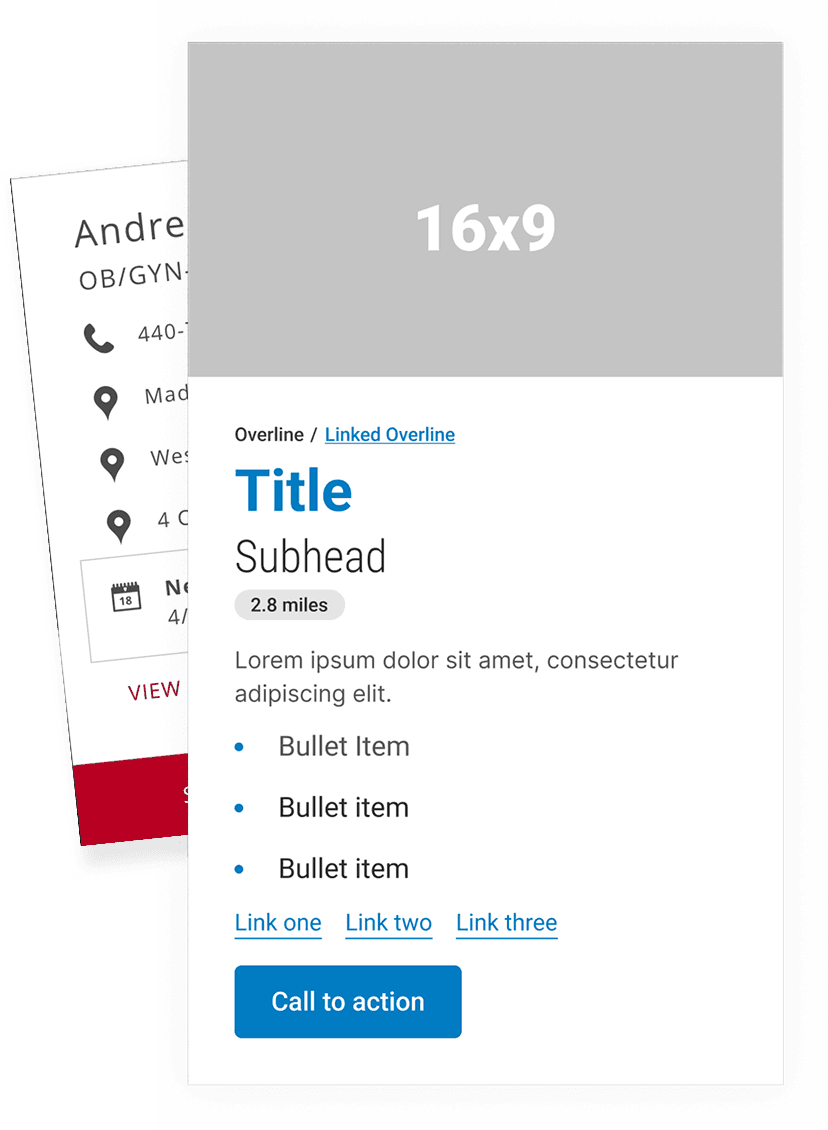
Patient Dashboard
Patient Dashboard
Patient Dashboard
Consolidating a fragmented patient experience into one clear dashboard.
Design Systems
UX & Interaction Design
Front-end Collaboration
Design Systems
UX & Interaction Design

Consolidating a fragmented patient experience into one clear dashboard.
Role
UI/UX, Front-end Development
Scope
Consolidating a fragmented patient experience across the app, MyChart and physician correspondence into one dashboard. Web plus companion mobile, research through high-fidelity.
Team
Project Manager, Front-End Developer, IT/Back-End Developers, Researchers
Outcome
Shipped to patients on the foundation I built. A 41-participant study produced a validated roadmap of requested features well beyond the original scope.
University Hospitals patients were navigating a fragmented experience, jumping between the UH app, MyChart, and physician correspondence with no single place to get a clear picture of their health. We set out to fix that by designing a centralized patient dashboard that gave users a bird's eye view of everything relevant to their care and a direct path to act on it.
University Hospitals patients were navigating a fragmented experience, jumping between the UH app, MyChart, and physician correspondence with no single place to get a clear picture of their health. We set out to fix that by designing a centralized patient dashboard that gave users a bird's eye view of everything relevant to their care and a direct path to act on it.
University Hospitals patients were navigating a fragmented experience, jumping between the UH app, MyChart, and physician correspondence with no single place to get a clear picture of their health. We set out to fix that by designing a centralized patient dashboard that gave users a bird's eye view of everything relevant to their care and a direct path to act on it.
University Hospitals patients were navigating a fragmented experience, jumping between the UH app, MyChart, and physician correspondence with no single place to get a clear picture of their health. We set out to fix that by designing a centralized patient dashboard that gave users a bird's eye view of everything relevant to their care and a direct path to act on it.
Planning and Research
To ground our design decisions in real user behavior I developed the research questions and testing methodology, partnering with the UH consumer research team to recruit participants from the hospital's own patient panel. We conducted unmoderated usability testing through UserZoom with 41 respondents, 19 on desktop and 22 on mobile. Participants were given a working prototype and asked to complete four core tasks: create an account, reschedule a primary care appointment, schedule a provider referral, and update their address. The structured task-based approach gave us clear signal on where the experience was working and where it was breaking down.
We supplemented this with competitive analysis across existing patient portal applications and broader dashboard products to establish common patterns and user expectations before committing to any design direction.
Planning and Research
To ground our design decisions in real user behavior I developed the research questions and testing methodology, partnering with the UH consumer research team to recruit participants from the hospital's own patient panel. We conducted unmoderated usability testing through UserZoom with 41 respondents, 19 on desktop and 22 on mobile. Participants were given a working prototype and asked to complete four core tasks: create an account, reschedule a primary care appointment, schedule a provider referral, and update their address. The structured task-based approach gave us clear signal on where the experience was working and where it was breaking down.
We supplemented this with competitive analysis across existing patient portal applications and broader dashboard products to establish common patterns and user expectations before committing to any design direction.
Planning and Research
To ground our design decisions in real user behavior I developed the research questions and testing methodology, partnering with the UH consumer research team to recruit participants from the hospital's own patient panel. We conducted unmoderated usability testing through UserZoom with 41 respondents, 19 on desktop and 22 on mobile. Participants were given a working prototype and asked to complete four core tasks: create an account, reschedule a primary care appointment, schedule a provider referral, and update their address. The structured task-based approach gave us clear signal on where the experience was working and where it was breaking down.
We supplemented this with competitive analysis across existing patient portal applications and broader dashboard products to establish common patterns and user expectations before committing to any design direction.

Proposed Information Architecture for the UHNow App
Wireframe Sketching
Early sketches helped us quickly visualize the product's structure and establish the information hierarchy before committing to any visual direction. The rough nature of the sketching phase was intentional, keeping focus on layout and flow rather than aesthetics. Once we moved into high-fidelity and introduced real content, the layouts naturally evolved to accommodate actual data density and interaction patterns, though the overall structural framework carried forward from the sketches.
Wireframe Sketching
Early sketches helped us quickly visualize the product's structure and establish the information hierarchy before committing to any visual direction. The rough nature of the sketching phase was intentional, keeping focus on layout and flow rather than aesthetics. Once we moved into high-fidelity and introduced real content, the layouts naturally evolved to accommodate actual data density and interaction patterns, though the overall structural framework carried forward from the sketches.
Wireframe Sketching
Early sketches helped us quickly visualize the product's structure and establish the information hierarchy before committing to any visual direction. The rough nature of the sketching phase was intentional, keeping focus on layout and flow rather than aesthetics. Once we moved into high-fidelity and introduced real content, the layouts naturally evolved to accommodate actual data density and interaction patterns, though the overall structural framework carried forward from the sketches.

Competitive Analysis
Our competitive review covered leading patient portal applications as well as dashboard-heavy products outside of healthcare to establish what patterns users were already familiar with. This helped us make informed decisions about conventions worth honoring versus areas where we could meaningfully improve on the standard experience.
Competitive Analysis
Our competitive review covered leading patient portal applications as well as dashboard-heavy products outside of healthcare to establish what patterns users were already familiar with. This helped us make informed decisions about conventions worth honoring versus areas where we could meaningfully improve on the standard experience.
Competitive Analysis
Our competitive review covered leading patient portal applications as well as dashboard-heavy products outside of healthcare to establish what patterns users were already familiar with. This helped us make informed decisions about conventions worth honoring versus areas where we could meaningfully improve on the standard experience.
High-fidelity
The high-fidelity design phase brought the wireframe structure to life with real content, UH's visual language, and a mobile-first mindset. The dashboard landing screen was anchored by status tiles giving patients immediate visibility into the most important aspects of their account, including upcoming appointments, health reminders, and relevant communications, without requiring them to dig.
Status Tiles
This tile would be on the landing screen and gave users important information about their account at a glance.
High-fidelity
The high-fidelity design phase brought the wireframe structure to life with real content, UH's visual language, and a mobile-first mindset. The dashboard landing screen was anchored by status tiles giving patients immediate visibility into the most important aspects of their account, including upcoming appointments, health reminders, and relevant communications, without requiring them to dig.
Status Tiles
This tile would be on the landing screen and gave users important information about their account at a glance.
High-fidelity
The high-fidelity design phase brought the wireframe structure to life with real content, UH's visual language, and a mobile-first mindset. The dashboard landing screen was anchored by status tiles giving patients immediate visibility into the most important aspects of their account, including upcoming appointments, health reminders, and relevant communications, without requiring them to dig.
Status Tiles
This tile would be on the landing screen and gave users important information about their account at a glance.


The signed-in experience was envisioned with a companion dashboard for the University Hospitals responsive website.
Outcome
The product shipped following my departure from University Hospitals. While I don't have post-launch performance data, the project represented a meaningful step forward in how UH patients could interact with their health information, consolidating a previously fragmented experience into a single coherent product across web and mobile. The research findings also surfaced a roadmap of patient-requested features that extended well beyond the initial scope, reflecting the value of putting real users at the center of the process from the start.
Outcome
The product shipped following my departure from University Hospitals. While I don't have post-launch performance data, the project represented a meaningful step forward in how UH patients could interact with their health information, consolidating a previously fragmented experience into a single coherent product across web and mobile. The research findings also surfaced a roadmap of patient-requested features that extended well beyond the initial scope, reflecting the value of putting real users at the center of the process from the start.
Outcome
The product shipped following my departure from University Hospitals. While I don't have post-launch performance data, the project represented a meaningful step forward in how UH patients could interact with their health information, consolidating a previously fragmented experience into a single coherent product across web and mobile. The research findings also surfaced a roadmap of patient-requested features that extended well beyond the initial scope, reflecting the value of putting real users at the center of the process from the start.